The question I had when I started reading about OpenBao was not how it worked. It was where it went. I already had ConfigMaps for configuration and Sealed Secrets for anything sensitive, both in Git, both applied by the same GitOps pipeline as everything else. A third place to put a password needed a better reason than “Vault, but open source”.
The reason, once I found it, is a difference in kind. Sealed Secrets is a secrets file: an encrypted static value in Git, decrypted once into a plain Kubernetes Secret. OpenBao is a secrets service: an application proves who it is at runtime, OpenBao decides whether to answer, writes the request to an audit log, and hands back something that expires. Everything else hangs off that distinction, so I build up to it and finish with the same Postgres password stored each way.
What is it, and why does it exist?
OpenBao is a secrets manager: a server that stores passwords, API keys, TLS certificates and encryption keys and hands them to clients that can prove who they are. Its own docs call it an identity-based secrets and encryption management system, and the identity part is the point. A secret is not stored under a filename. It is stored under a path that a policy can be written against, and every request for it arrives attached to an identity the server has already checked.
If you know HashiCorp Vault you know most of OpenBao, because it is Vault. On 10 August 2023 HashiCorp moved its products from the Mozilla Public License 2.0 to the Business Source License, which is source-available but not open source. The same move produced OpenTofu from Terraform, and it produced OpenBao from Vault: a group under the Linux Foundation’s LF Edge forked the last MPL-licensed release branch, 1.14.x, and kept it under MPL 2.0, where it still lives. The CLI is bao instead of vault, the default port is still 8200, and the HTTP API is compatible enough that most Vault client libraries and tooling work against it with little or no change.
What problem does it solve?
In most setups the same database password lives in several places at once: a .env on a laptop, a CI variable, a base64 Secret in Git that everyone agrees not to call encryption. It was set in 2024 and has not changed since, because changing it means finding every copy, and nobody can say who has read it or take it back.
OpenBao puts the secret in one place and wraps four things around the act of reading it. Authentication: the client proves who it is before it gets anything. Authorization: a policy says which paths that identity may touch, and policies are deny by default, so an identity with no policy can do nothing. Audit: every request and response is written to an audit device before the response goes out. And expiry: much of what OpenBao hands out comes with a lease, a point in time after which it stops being valid unless something renews it. The fourth is what makes it a different kind of tool rather than a nicer home for the same static password, and the Postgres example at the end is built around it.
How does it work, from the seal up?
Seven pieces. The first two are about the server itself; the rest are about what clients do with it.
Seal and unseal. Everything OpenBao writes to storage is encrypted, and the key that protects it is not on the disk in usable form. A freshly started server is sealed: it knows where its storage is and cannot read any of it, and the only operations it accepts are “what is your seal status” and “here is a piece of the unseal key”. Data is encrypted with keys in a keyring, the keyring is encrypted with a root key, and the root key is encrypted with an unseal key. By default the unseal key is split with Shamir’s Secret Sharing into a set of shares with a threshold, say five shares with any three required, and bao operator unseal is run once per share, by different people if you want it that way. Every node in a cluster is unsealed separately, and a restart puts a node back into the sealed state. That is inconvenient on purpose. Auto-unseal is the production alternative: a cloud KMS or an HSM holds the key that decrypts the root key, and the server asks it at startup. Either way, a stolen disk or a copied storage snapshot is ciphertext with no key next to it.
Storage. The usual backend is the integrated Raft storage, so a three or five node cluster replicates its own data and needs no external database. If you have run etcd the shape is familiar: one leader, followers, a quorum. The old single-file backend was deprecated in 2.6 and removed from the server in 2.7, so Raft is the answer even for one node.
Auth methods. These are the ways a client proves who it is, each mounted at a path under auth/. The one workloads use is kubernetes: a pod sends its ServiceAccount token, OpenBao calls the Kubernetes TokenReview API to check that the token is valid, and a role on the OpenBao side says which ServiceAccount names in which namespaces may log in through it and which policies they get. (OpenBao needs the system:auth-delegator ClusterRole to make that call.) For humans and CI there is jwt/oidc, which covers SSO through an identity provider and the OIDC tokens GitHub Actions issues. approle is for machines outside Kubernetes, userpass is for people when there is no SSO, and cert is TLS client certificates. Every successful login returns a token with the role’s policies attached, and that token is what the client sends with every request afterwards.
Secrets engines. Also plugins mounted at paths, and the part that varies most. KV is a plain key/value store; v2 keeps versions of each secret and is what a dev server mounts at secret/. PKI makes OpenBao a certificate authority that issues short-lived TLS certificates on request, which is how people do internal mTLS without a spreadsheet of expiry dates. Transit is encryption as a service: the application sends plaintext and gets ciphertext back, and the key never leaves the server. Database is the dynamic one. Given an admin connection to Postgres or MySQL, it creates a fresh database user per request with a TTL and drops the user when the lease ends.
Policies. Path-based ACLs in HCL. Everything in OpenBao is a path, so a policy is a list of paths and the capabilities allowed on each: create, read, update, patch, delete, list, scan (a recursive list, which OpenBao added), sudo for root-protected paths such as sys/audit and sys/seal, and deny, which wins over everything else including sudo.
path "secret/data/payments/*" {
  capabilities = ["read"]
}
Two policies are built in. default is attached to most tokens. root can do anything, and the docs tell you to revoke root tokens before production. Policies are attached to a token at login and cannot be changed on that token afterwards, but a policy’s contents are read at request time, so editing one takes effect on the next request.
Tokens and leases. A lease is OpenBao’s promise about how long a thing stays valid. Every dynamic secret comes with one: a lease_id, a lease_duration in seconds, and a flag for whether it can be renewed. A service token carries the same duration and flag, and is renewed or revoked through the token itself rather than a lease ID. The client is expected to renew before the duration runs out. If it does not, OpenBao revokes the lease, and for a database credential that means the user is dropped. Revocation runs the other way too. A lease ID begins with the path the secret came from, so bao lease revoke -prefix database/creds/myapp kills every credential that role ever issued, and revoking a token revokes every lease created with it. That tree-shaped revocation is the incident-response feature: one command and a compromised application’s entire footprint is gone.
Audit devices. A file, syslog, socket or HTTP sink that receives a JSON line for every request and every response. String values are HMAC-SHA256’d with a salt before they are written, so the log shows that a secret was read and by which identity without containing the secret, and you can still check whether a given value appears by hashing it through /sys/audit-hash. One behaviour to know before you enable it: if no enabled audit device can write the record, OpenBao refuses the request. A full disk under your only audit device is an outage, so enable two.
Why not ConfigMap plus Sealed Secrets?
Sealed Secrets answers one question well: how do I put a secret in Git without putting the secret in Git? You encrypt it with the cluster’s public key, commit the SealedSecret, and the controller decrypts it into an ordinary Secret. At that point its job is finished. What you have is a plain, static Kubernetes Secret, and every gap below follows from that.
The secret never changes. The Postgres password sealed in 2024 is still the Postgres password today. Rotating it means generating a new one, changing it in the database, re-sealing, committing, waiting for the sync and restarting the pods, in that order, with a window in the middle where the database and the pods disagree. In practice it does not happen.
Anyone with get secrets in the namespace can read it. After unsealing it is base64 in etcd like any other Secret. There is no record of who read it and no way to take it back.
Sealing keys are per cluster, so one secret becomes many copies. If a fleet of a hundred clusters needs the same Hetzner API token, that token is sealed a hundred times with a hundred keys, and rotating it is a hundred commits. (At Obmondo, where I work, a fleet is the shape I think about; the hundred is a round number for the example, not a count.)
It only works for Kubernetes. A CI job, a VM, an Ansible run and an engineer’s laptop cannot consume a SealedSecret.
Git history is permanent. The controller rotates its key pair on a schedule and keeps the old keys so older SealedSecrets still decrypt, which means that if its private keys leak, every SealedSecret ever committed for that cluster is readable, including the ones you rotated away from years ago.
OpenBao’s answer to all five is the same answer: the application does not receive a copy of the secret at deploy time. It asks at runtime, proves who it is, and OpenBao decides, logs it and responds. Rotation happens in one place, reads are attributed to an identity, clients outside Kubernetes log in with approle or OIDC, and Git holds a reference instead of a ciphertext. On top of that are the things a static file cannot do at all: issue a TLS certificate on demand, encrypt a payload without handing the application the key, revoke a credential everywhere in one command.
They are not rivals, though, and you usually do not make applications call OpenBao directly. The common GitOps pattern puts External Secrets Operator in between. Git holds an ExternalSecret that names a path, secret/payments/db say, and nothing else. ESO logs into OpenBao, reads the path and writes a normal Kubernetes Secret, which the Deployment mounts exactly as it always did. Rotate the value in OpenBao and ESO refreshes the Secret on its next interval. Nothing in Git changes.
When you do not need it: a handful of static secrets on one or two clusters, with no auditor asking who read what, is a case Sealed Secrets handles fine, and adding OpenBao means operating a critical, highly available, unseal-managed service that every deploy depends on. The case starts when you need rotation, dynamic credentials, many clusters sharing a secret, consumers outside Kubernetes, or audit evidence. So the division of labour is: ConfigMap for plain configuration, Sealed Secrets for an encrypted static value in Git, OpenBao for secrets as a managed, audited, expiring service.
How does it get into a pod?
The agent sidecar injector is a mutating admission webhook. Annotate a pod with openbao.org/agent-inject: "true" and openbao.org/role: myapp, add one openbao.org/agent-inject-secret-<name> annotation per secret you want, and the webhook adds OpenBao Agent containers to the pod. The agent logs in with the pod’s ServiceAccount token, fetches the secrets, renders them to files on a volume shared with your container, and keeps renewing the leases and re-rendering the files for as long as the pod lives. Nothing is stored outside OpenBao and nothing is written to a Kubernetes Secret. The cost is an extra container per pod and an application that reads its credentials from a file. It ships as the openbao-k8s project and the Helm chart installs it unless you set injector.enabled=false.
The CSI provider goes through the Secrets Store CSI driver. A SecretProviderClass with provider: openbao lists the objects you want, each with a path in OpenBao, a key inside it and the filename to write, and the pod mounts it as a csi volume with the secrets-store.csi.k8s.io driver. The provider logs in as the pod’s ServiceAccount and writes the files before the container starts, which means a pod is blocked from starting until OpenBao has answered. It needs the CSI driver installed separately and csi.enabled in the chart, and provider: openbao needs chart 0.18.0 or later.
ESO is the GitOps route from the previous section. There is no OpenBao-specific provider; ESO’s docs say to use the Vault provider, which they have tested against OpenBao, so the SecretStore points provider.vault.server at the OpenBao service. What comes out is a static Secret again, readable by anyone with RBAC in the namespace and stale until the next refresh, in exchange for touching neither the application nor the Helm charts you already have. For most teams this is where to start, and none of the three rules out the others.
On the server side, the official Helm chart (helm repo add openbao https://openbao.github.io/openbao-helm) runs OpenBao in dev, standalone or HA Raft mode (server.ha.raft.enabled) and installs the injector and CSI provider alongside. There is also an OpenBao Operator, an independent project under the KubeBao name rather than part of the OpenBao organisation, whose stated goal is to install and operate OpenBao clusters on Kubernetes. I mention it so you know it exists when you go looking, not as a recommendation.
How is it different from Vault?
Mostly in what it includes for free, and in a few places where the fork has gone its own way.
Namespaces are the big one. A namespace is a partition inside one server with its own auth methods, secrets engines and policies, so one OpenBao can serve many teams or many customers that cannot see each other. Vault has this only in the Enterprise tier. OpenBao shipped it in open source with the 2.3 beta in May 2025, and 2.6 added per-namespace sealing on top, so a tenant can seal its own slice without touching anyone else’s. For an MSP that is the difference between one server and one per customer.
Underneath are two pieces of storage work Vault’s open-source edition never did: transactional storage, so a multi-step write either fully happens or does not (Raft and PostgreSQL backends, late 2024), and paginated list operations (2.0). Neither is something you notice from a bao kv get, and both are things you want in place before carving one server into tenants.
OpenBao uses CEL, the Common Expression Language that Kubernetes validating admission policies are written in, in two engines: JWT/OIDC auth, where a CEL program inspects the token’s claims and decides which policies to grant, and PKI, where a CEL program decides what certificate a request is allowed to receive. Vault has neither.
2.6, released in July 2026, added bao login -method=kubernetes, so a pod or a person with a ServiceAccount token logs in with one command instead of hand-building a bao write auth/kubernetes/login call, and the container images now run as the openbao user rather than root by default.
2.7, released on 23 September 2026, slimmed the core. The cloud KMS seals (awskms, azurekeyvault, gcpckms, ocikms, plus alicloudkms and pkcs11) are out of the binary and are external plugins now, installed separately. LDAP, Kerberos and RADIUS auth, and the LDAP secrets engine, moved out to the openbao-plugins repository in the same release. If you auto-unseal with AWS KMS or log people in through LDAP, read the 2.7 notes before upgrading, because the seal is the first thing a server needs on startup.
What OpenBao does not have is Vault Enterprise’s performance replication and disaster-recovery replication, the cross-cluster kind. Raft replicates within a cluster, so a lost node is fine. A lost cluster, or a bad upgrade, is your backup’s problem, and OpenBao does not schedule snapshots for you, so bao operator raft snapshot save on a timer and a restore you have actually rehearsed are part of the install, not something to add later.
What does storing a Postgres password look like?
The same password three ways. First as a static value in KV delivered by ESO, which is Sealed Secrets with a server in the middle. Then as an existing database user whose password OpenBao rotates. Then as the thing Sealed Secrets cannot do, a credential that exists for an hour. Everything below runs against a dev server, which is the right place to learn the flow and the wrong place for anything else: bao server -dev keeps all data in memory, is already unsealed, listens on 127.0.0.1:8200 without TLS, prints a root token at startup and forgets everything when it exits.
Two places. The KV section runs inside a kind cluster, because its last two steps need one: OpenBao has to call the cluster’s TokenReview API to log the ServiceAccount in, and ESO reads the KV path from whichever server it logged into, so the value, the policy and the role all have to be on that server. Install the dev server through the Helm chart, open a shell in its pod, and type every bao command in the KV section there, the KV put and the policy write included.
helm install openbao openbao/openbao -n openbao --create-namespace \
  --set server.dev.enabled=true
kubectl exec -ti -n openbao openbao-0 -- sh
bao status
The database section needs nothing from the cluster, only a Postgres the server can reach. It runs on the laptop against a local Postgres if you point connection_url at it instead of the Service name used below.
bao server -dev
export BAO_ADDR=http://127.0.0.1:8200
A static password in KV
Store it. On a dev server KV v2 is already mounted at secret/, so the enable line is only for a real server.
bao secrets enable -path=secret kv-v2
bao kv put secret/myapp/db username=app password='S0meStr0ngPass'
Write a policy that can read only that path. bao policy write takes - to read the policy from stdin, which saves copying a file into the container.
bao policy write myapp-db - <<'EOF'
path "secret/data/myapp/db" {
  capabilities = ["read"]
}
EOF
Notice the data/. KV v2 puts it in the real API path: bao kv get secret/myapp/db reads secret/data/myapp/db and hides that from you, but policies see the real path, and a policy written against secret/myapp/db grants nothing. The KV docs recommend bao kv get -mount=secret myapp/db for exactly this reason, and this is the gotcha that catches everyone the first time.
Let the application’s ServiceAccount log in. Because the shell is inside the OpenBao pod, the two environment variables resolve, and the config needs nothing but the API address: the chart binds system:auth-delegator to the server’s ServiceAccount, and the server reads its reviewer token and CA certificate from its own mount. The role binds a ServiceAccount name and namespace to the policy, so only pods running as myapp in prod can read that one path.
bao auth enable kubernetes
bao write auth/kubernetes/config \
  kubernetes_host="https://$KUBERNETES_SERVICE_HOST:$KUBERNETES_SERVICE_PORT"

bao write auth/kubernetes/role/myapp \
  bound_service_account_names=myapp \
  bound_service_account_namespaces=prod \
  policies=myapp-db \
  ttl=1h
Get it into the cluster with External Secrets Operator. This assumes ESO is installed in the kind cluster and a myapp ServiceAccount exists in prod, because the SecretStore logs in as it. Both manifests are safe to commit, and both are applied from outside the pod like any other manifest. The SecretStore is how ESO authenticates, and the ExternalSecret is the reference. On older ESO releases the apiVersion is external-secrets.io/v1beta1.
apiVersion: external-secrets.io/v1
kind: SecretStore
metadata:
  name: openbao
  namespace: prod
spec:
  provider:
    vault:
      server: "http://openbao.openbao.svc:8200"
      path: "secret"
      version: "v2"
      auth:
        kubernetes:
          mountPath: "kubernetes"
          role: "myapp"
          serviceAccountRef:
            name: myapp
---
apiVersion: external-secrets.io/v1
kind: ExternalSecret
metadata:
  name: myapp-db
  namespace: prod
spec:
  refreshInterval: 1h
  secretStoreRef:
    name: openbao
    kind: SecretStore
  target:
    name: myapp-db
  data:
    - secretKey: password
      remoteRef:
        key: myapp/db
        property: password
The remoteRef.key has no data/ in it, because ESO adds the prefix itself for a v2 mount; the policy is the only place you write it by hand. After a rotation the pods still need a restart to pick up the new Secret, which is the same problem a changed ConfigMap has, and the same fixes apply.
This is already better than a SealedSecret. One copy, a policy per reader, an audit line per read once a device is enabled, rotation in one place. But the password itself is still a long-lived string that every pod shares.
The middle step: static roles
Before going fully dynamic, there is a version that keeps your existing app user and lets OpenBao own its password. The database engine’s static roles map one OpenBao role to one existing database user and rotate that user’s password on a period you choose.
bao secrets enable database

bao write database/config/app-pg \
  plugin_name=postgresql-database-plugin \
  connection_url="postgresql://{{username}}:{{password}}@pg.prod.svc:5432/app?sslmode=require" \
  allowed_roles="myapp,app-static" \
  username="bao_admin" \
  password="InitialAdminPass"

bao write -force database/rotate-root/app-pg
The rotate-root line is the one to pause on. After it runs, only OpenBao knows bao_admin’s password, which is the point, and it is also why bao_admin should be a user created for OpenBao and not a shared admin account somebody else still logs in with. It needs CREATEROLE in Postgres. On Postgres 16 and later that is not enough on its own: a CREATEROLE user that is not a superuser may only alter or drop roles it holds ADMIN OPTION on. It gets that automatically for roles it creates, which covers the dynamic users further down, but not for roles that already exist. So, as a superuser, run GRANT app TO bao_admin WITH ADMIN OPTION before the static role below can rotate app, and GRANT app_readwrite TO bao_admin WITH ADMIN OPTION so the dynamic role can hand out membership in app_readwrite.
bao write database/static-roles/app-static \
  db_name=app-pg \
  username=app \
  rotation_period=24h

bao read database/static-creds/app-static
The username stays app, the password changes every 24 hours, and the policy path becomes database/static-creds/app-static. Nothing about your schema, grants or table ownership changes. This is often the easiest upgrade from the KV version, and for a lot of applications it is also the last one you need.
Dynamic credentials
With a dynamic role OpenBao creates a Postgres user per request and deletes it when the TTL ends. No password lives anywhere permanently. The connection config is the same app-pg from above; the role says what a generated user looks like. app_readwrite is a role you create once in Postgres, with the table grants on it, and every generated user gets its access by joining that role.
bao write database/roles/myapp \
  db_name=app-pg \
  creation_statements="CREATE ROLE \"{{name}}\" WITH LOGIN PASSWORD '{{password}}' VALID UNTIL '{{expiration}}';
    GRANT app_readwrite TO \"{{name}}\";" \
  default_ttl=1h \
  max_ttl=24h
bao read database/creds/myapp
Key                Value
---                -----
lease_id           database/creds/myapp/...
lease_duration     1h
lease_renewable    true
password           A1b-...
username           v-root-myapp-...
Run it twice and you get two different users. The root in the username is the display name of the token that asked, so a pod that logged in through the kubernetes auth method would get v-kubernet-myapp-... instead. The policy for the application changes to this path:
path "database/creds/myapp" {
  capabilities = ["read"]
}
Consuming it is where the injector earns its place. A dynamic credential has to be renewed before its lease runs out and replaced when it hits max_ttl, and the agent sidecar does both, re-rendering the credentials file each time. Your application then has to re-read that file or reconnect when it changes. ESO can also do dynamic secrets, through its VaultDynamicSecret generator rather than a plain ExternalSecret, but what you get is still a Kubernetes Secret refreshed on an interval, which is a different thing from a sidecar holding and renewing a lease.
What goes wrong with dynamic credentials is mostly the database, not OpenBao. Generated users come and go, so they must not own anything; the first DROP ROLE fails if the role still owns a table, which is why migrations run as a fixed owner role and the grants live on app_readwrite rather than on the generated user. A pooled connection opened an hour ago is still open after the user it authenticated as has been dropped, and the next query on it fails, so the application or the pooler has to reconnect, ideally on a schedule shorter than the TTL. And everything above depends on bao_admin being able to create and alter roles and on nobody else rotating its password out from under OpenBao. Do not put it in a static role either; rotating it there would break the connection config that uses it.
The order I would learn it in is the order above: KV with ESO on a kind cluster until the login, policy and sync all work end to end; then a static role for one existing user; then a dynamic role, once the ownership and pooling questions have answers.
Ending notes
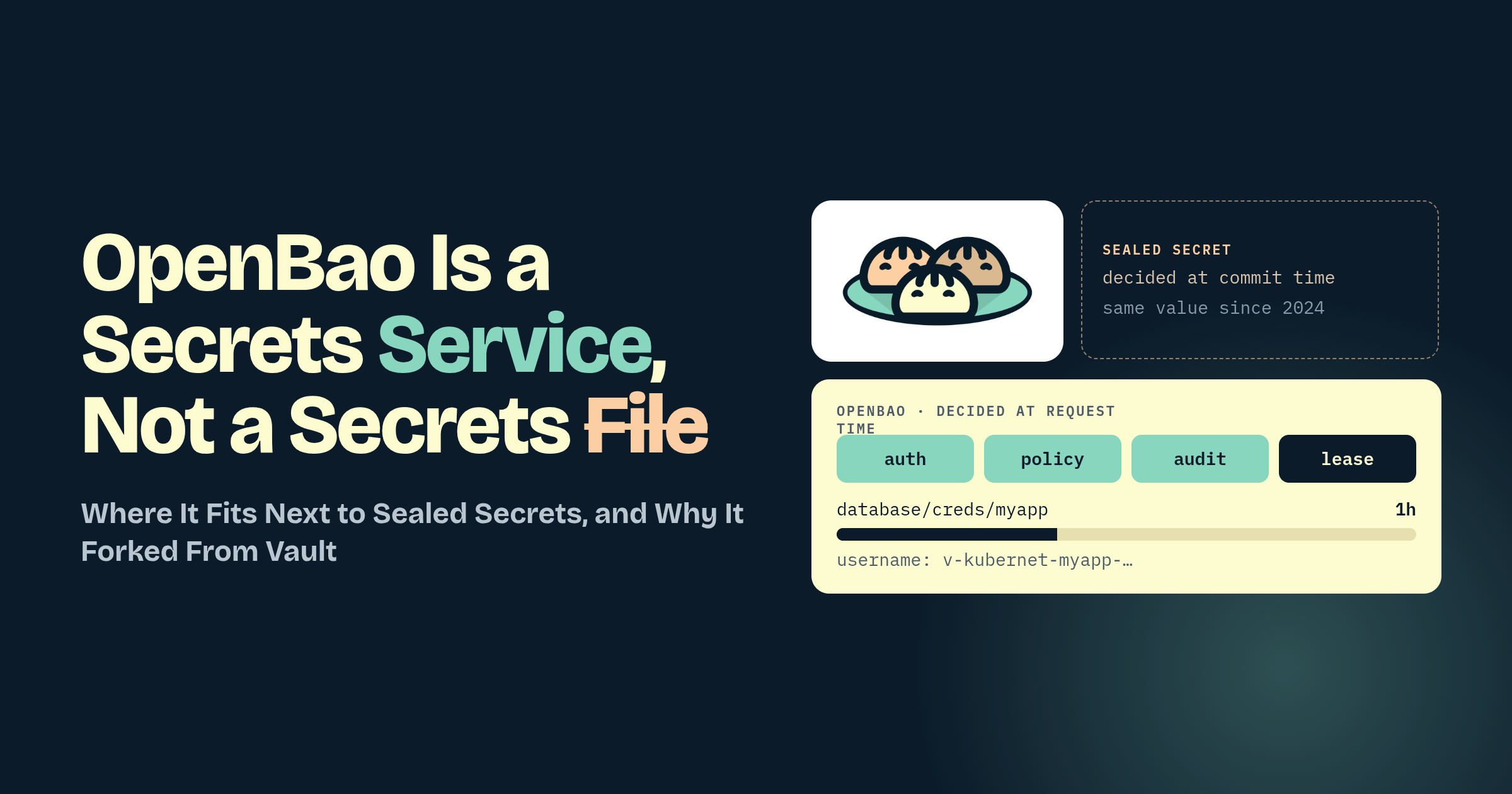
A SealedSecret is decided at commit time. Whoever sealed it chose the value, and every pod that ever mounts it gets that value until someone commits another. OpenBao decides at request time: a pod shows up with a ServiceAccount token, a policy says yes or no, an audit line is written, and what comes back may be a credential that did not exist a second ago and will not exist in an hour. Authentication, authorization, audit and expiry all live in that moment, and none of them can live in a file.
The dev server in kind is enough to watch it happen. Put one value in KV, write the policy with data/ in the path, bind one ServiceAccount to it, and apply the ExternalSecret. The Secret turns up in the namespace and the password is nowhere in Git. The database engine is the same loop with a shorter clock.
Thanks for your time :)