Every Linux server I have ever logged into already had logrotate on it. It was installed before I got there, it ran every night, and the dated or numbered files next to each log in /var/log were proof that it worked. In years of that I never opened /etc/logrotate.conf. I could not have told you what started logrotate, where it kept track of what it had already done, or what it would do if it ran twice in one day.
Recently I sat down and read it properly, the man page first and then the source. This post is what I found, in the order I asked the questions. Most of it is not exciting, and that is sort of the point. logrotate comes preconfigured on every mainstream distro, so almost nobody touches it until they have to, and that is exactly when its few sharp edges show up: size versus time, what dateext can and cannot name, and what copytruncate costs.
What is it actually doing, and why does a log need rotating?
A log file that nothing ever rotates grows until the disk is full. Before it gets there it becomes useless in a quieter way: a multi-gigabyte text file takes forever to grep, less struggles with it, and anything that ships logs elsewhere has to reread or tail one enormous file. And you cannot just delete it. A process that has the file open keeps the inode alive, so rm on a live log frees nothing; df does not move until the process closes the descriptor. I wrote about that in the storage section of the Linux concepts post, and logrotate is the tool that exists so you never have to do it by hand.
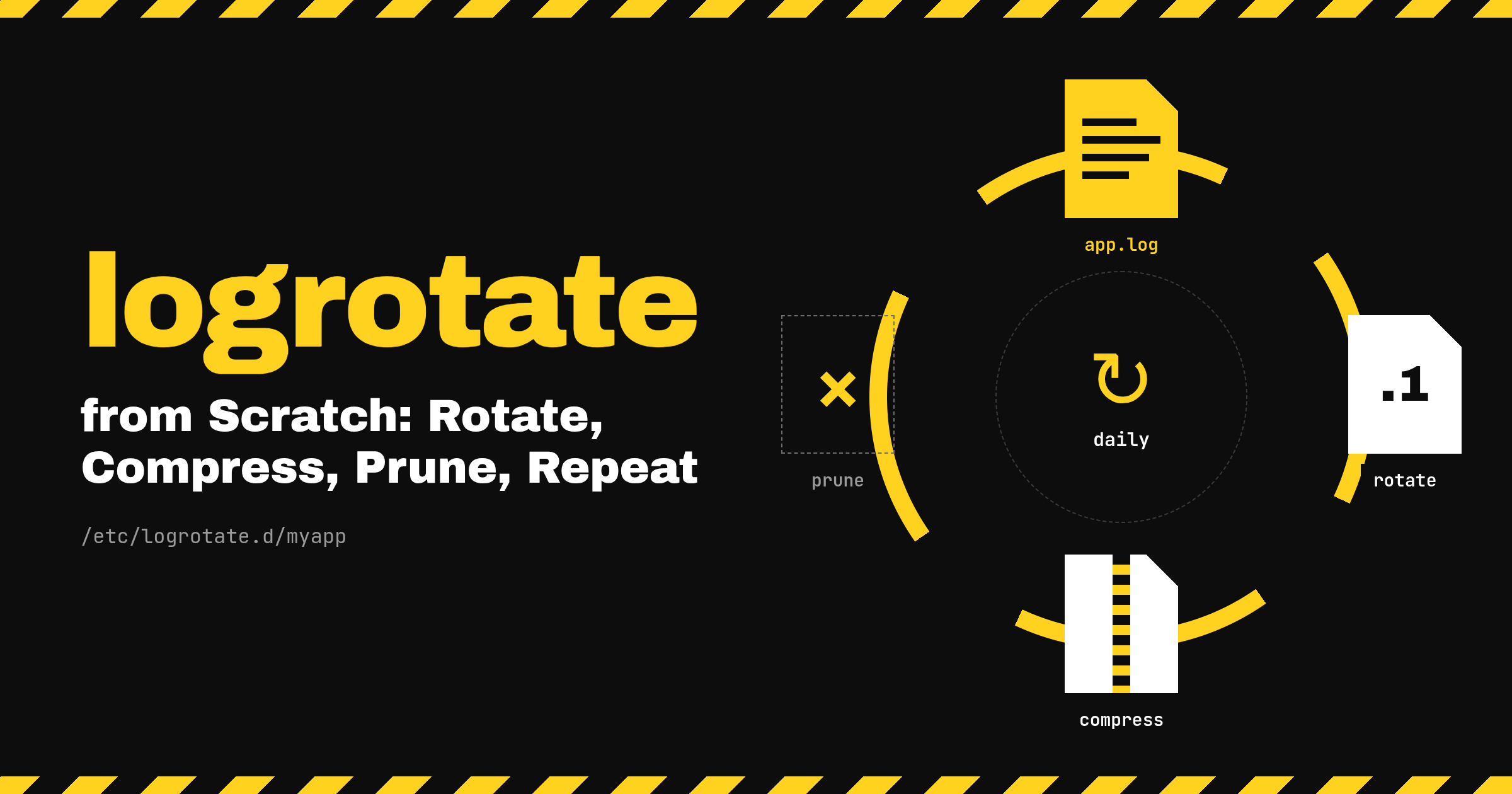
Rotation is the four verbs in the title. Rename the current file to an archive name and start a fresh one (rotate). Gzip the archives, usually one cycle later (compress). Delete archives beyond a count or an age (prune). Do it again on a schedule (repeat).
One thing I had wrong: logrotate is not a daemon. It is a program that runs, reads its configuration, compares every configured log against its rule and against a state file, does whatever is due, and exits. Nothing watches the file in between runs. That has consequences for every question below.
What runs it, and when?
For most of its life the answer was a script in /etc/cron.daily. The upstream project still ships one in its examples directory: it runs /usr/sbin/logrotate /etc/logrotate.conf, and if the exit code is non-zero it writes a line to syslog through logger. That is the whole thing.
On a systemd distro today the answer is a timer. The package drops two units: logrotate.service, which is a oneshot that runs the same command, and logrotate.timer, which decides when. The timer upstream ships looks like this, and both Debian and the RHEL family install it unchanged:
[Unit]
Description=Daily rotation of log files
Documentation=man:logrotate(8) man:logrotate.conf(5)

[Timer]
OnCalendar=daily
RandomizedDelaySec=1h
Persistent=true

[Install]
WantedBy=timers.target
If you have only used cron, a timer is two units instead of one line. The timer unit owns the schedule and nothing else. The service unit owns the command, the user it runs as, its environment, and in this case a list of hardening options that keep logrotate away from kernel tunables and the hostname. The two are paired by name: logrotate.timer activates logrotate.service unless told otherwise. What you gain over cron is that the run is a real unit, so its output goes to the journal, systemctl status tells you whether the last run failed, and you get the two [Timer] lines after OnCalendar, which a crontab line cannot express.
OnCalendar=daily is shorthand for midnight, local time. RandomizedDelaySec=1h adds a random delay of up to an hour, picked fresh each time, so a fleet of machines does not all gzip their logs at 00:00:00. Persistent=true is the one that matters most. systemd stores the time of the last trigger on disk, under /var/lib/systemd/timers/, and when the timer starts it checks whether a scheduled run was missed while it was inactive. If the machine was off or rebooting at midnight, the run fires shortly after boot instead of being skipped. Without that line a server rebooted at the wrong moment would just not rotate that day.
The commands to inspect all of this:
systemctl list-timers logrotate.timer
systemctl status logrotate.timer
systemctl cat logrotate.timer
systemctl status logrotate.service
journalctl -u logrotate.service
list-timers gives you the next and last trigger times in one row; status on the service shows the exit code of the last run; journalctl shows what logrotate printed, which on a healthy run is nothing. Debian still installs /etc/cron.daily/logrotate too, but it carries a patch that makes the script exit immediately when systemd is running, so the timer is the only thing that fires.
Does it come installed?
Mostly yes, which is why the previous question was a mystery to me for so long.
On Debian and Ubuntu the package has priority important, so a standard install includes it, and rsyslog recommends it, so a box that logs to /var/log/syslog almost certainly has it. The RHEL family (RHEL, Rocky, Alma, Fedora) ships it with the timer enabled by the distro’s systemd preset when the package is installed, and rsyslog recommends it there as well. openSUSE and SLES ship the timer; I have not checked a fresh install, so run the check below. Arch is the odd one out: logrotate is in core but not in the base metapackage, so a fresh Arch install does not have it unless you add it; once you do, the package ships the timers.target.wants symlink, so the timer is enabled without a separate step.
The check is the same everywhere:
systemctl is-enabled logrotate.timer
systemctl is-active logrotate.timer
Where does the configuration live?
Two places, and the split is the thing to understand.
/etc/logrotate.conf is the global file. It sets defaults for every log, then includes a directory. The upstream example is short: weekly, rotate 4, create, dateext, compress commented out, and include /etc/logrotate.d. Distros tweak it. Debian carries a patch that removes dateext from the default, which is why rotated files on Debian end in .1 and .2.gz while the same files on Rocky end in a date.
/etc/logrotate.d/ is where packages drop their own rules. Install nginx and you get /etc/logrotate.d/nginx; install rsyslog and you get /etc/logrotate.d/rsyslog. Each file is one or more blocks of the form path { directives }, and because the directory is included from the main file, every block inherits the global defaults and overrides what it needs to. The file belongs to the package that installed it, which you can confirm:
dpkg -S /etc/logrotate.d/rsyslog
rpm -qf /etc/logrotate.d/rsyslog
Why ownership matters comes up under the sharp edges. The short version is that both package managers treat these as configuration files, so if you edit one by hand, the next upgrade either prompts you or leaves the new version beside yours with a .dpkg-dist or .rpmnew suffix, and you now have two files to reason about.
What do the directives actually mean?
The man page lists a lot of them. These are the ones that show up in nearly every rule, grouped by the decision each one makes.
The first decision is when to rotate. daily, weekly, monthly, and yearly are calendar checks against the last rotation recorded in the state file. daily means “the calendar date has changed since the last rotation”, not “24 hours have passed”. weekly rotates on a given weekday (Sunday by default) or once seven days have gone by. size 10M is the other kind of trigger: rotate if the file is bigger than this, with no reference to time at all. The man page says it is mutually exclusive with the time directives, and that if both appear, the last one specified wins. maxsize 10M and minsize 10M are the two ways to combine size with time, and they are not symmetrical. maxsize rotates at the time interval, or earlier if the file crosses the threshold. minsize rotates at the time interval, but only if the file has reached the threshold by then. If you want “daily, but skip the tiny days”, that is minsize. If you want “daily, but do not let it get huge in between”, that is maxsize.
The second is how many to keep, and there are two ways to count. rotate 14 keeps fourteen rotated files and deletes the oldest when a fifteenth would be created; rotate 0 keeps nothing, the old version is removed rather than kept. maxage 30 deletes rotated files older than thirty days regardless of count. With a daily rule the two say nearly the same thing. With a size rule they do not: rotate 14 is fourteen rotations however far apart they happen, and only maxage says anything about time. olddir /var/log/myapp/archive moves rotated files into another directory, which has to be on the same filesystem as the log unless the rule copies instead of renaming (copytruncate, copy, or renamecopy).
Compression is two directives that only make sense together. compress gzips rotated files, with gzip as the default compressor. delaycompress postpones that by one cycle, so the most recent rotated file stays uncompressed until the next run. The man page gives the reason: a program that cannot be told to reopen its log may keep writing to the old file for a while, and you do not want to gzip a file that is still being appended to. It does nothing without compress.
Naming is where the default and dateext part ways. By default rotated files get a number, app.log.1, app.log.2.gz, and every rotation shifts the numbers up. dateext names them by date instead, app.log-20261025, and the name never changes once written. dateformat controls the extension; the default is -%Y%m%d, and hourly uses -%Y%m%d%H. Only a fixed list of strftime specifiers is allowed, and the man page has a warning that the result must sort lexically (year, then month, then day), because when rotate decides which old file to delete it sorts the rotated names and removes from the bottom. More on this directive later, because it is where I learned the most.
What happens to the live file is the decision that depends on the application. create 0640 myapp myapp makes a new empty log with those permissions immediately after the rename, before postrotate runs; with no arguments it copies the mode and owner of the original. copytruncate is the alternative for programs that will not reopen their log: copy the file to the archive name, then truncate the original in place, so the writer never notices. nocreate turns create off for one block.
Two small ones belong in nearly every rule, and both rules later in this post carry them. missingok means a missing log is skipped silently instead of being reported as an error, which is the difference between a clean run and a failed unit on a server where the application has not written its first line yet. notifempty skips rotation when the file is empty, which otherwise produces a stack of zero-byte archives.
The last decision is whether something has to be told. postrotate through endscript wraps a shell snippet that runs after the rename and before compression. This is where you tell the application to reopen its file. With a glob like /var/log/myapp/*.log, the script runs once per matched file unless you add sharedscripts, in which case it runs once for the whole pattern, which is what you want when the script restarts or signals a single process.
What is in the state file?
The thing that makes daily possible. Since logrotate is not a daemon, it needs to remember when it last rotated each file, and it keeps that in a plain text file: a version line, then one line per log path with the timestamp of its last rotation, unpadded, which looks like this:
"/var/log/myapp/app.log" 2026-10-25-6:49:14
Where that file is depends on who built the package. The upstream default is /var/lib/logrotate.status, which is what Arch uses. Debian and Ubuntu configure it as /var/lib/logrotate/status. The RHEL family configures it as /var/lib/logrotate/logrotate.status. logrotate -d prints the path it reads from before it starts on the logs, so you do not have to remember which is which.
Two things follow from how this file is used. First, a log that has no entry yet is given one with the current time, so the first run after you add a daily rule records a timestamp and does not rotate. The file rotates the next day. The man page’s note on -f is about exactly this: forcing is useful after adding new entries. Second, the state file is updated at the end of every real run, even a run that hit errors. A -d run does not touch it.
Writing a rule for your own application
Say the app writes to /var/log/myapp/app.log as user myapp. The first decision is whether the application can reopen its log file on a signal, because that decides which of two shapes the rule takes.
If it can (most servers do this on SIGHUP or SIGUSR1, and a unit with an ExecReload can be told through systemctl reload), use create and tell it to reopen:
/var/log/myapp/*.log {
    daily
    rotate 14
    missingok
    notifempty
    compress
    delaycompress
    dateext
    dateformat -%Y%m%d-%s
    create 0640 myapp myapp
    sharedscripts
    postrotate
        systemctl reload myapp.service
    endscript
}
The sequence on a run where rotation is due is not the order the directives are written in. The previous run’s archive, still uncompressed, is gzipped first; that is where delaycompress actually does its work. Then each matched file is renamed, app.log becomes app.log-20261025-1792910954, a new empty app.log is created with the given owner and mode, and the postrotate script runs once for the whole pattern so the application closes the old inode and opens the new name. The file renamed this run stays uncompressed until the next run, which covers the gap between the rename and the application acting on the reload. Without the reload, the process keeps writing to the renamed file forever and the new app.log stays empty, which is the classic symptom of a create rule with no postrotate.
If the application cannot reopen its log, copytruncate:
/var/log/myapp/app.log {
    daily
    rotate 7
    missingok
    notifempty
    compress
    dateext
    dateformat -%Y%m%d-%s
    copytruncate
}
No create, because the original file is never renamed; no delaycompress, because the application never writes to the copy. It is simpler and it works for anything. The costs are below.
Drop either file in /etc/logrotate.d/myapp, owned by root and not group- or world-writable, since logrotate refuses configuration with loose permissions. The log directory gets a similar check: if it is writable by a group other than root, or by everyone, logrotate running as root refuses to rotate in it and tells you to set the su directive. su myapp myapp in the block makes it do the work as that user, which the man page recommends anyway for any directory a non-privileged user controls.
Testing it without rotating anything
-d is the dry run. It reads the real configuration and the real state file, prints every decision it would make, and changes nothing: no rename, no script, no state file update. In the source -d falls through to the same log level as -v, so you get the verbose output for free. It also opens with a warning that debug mode does nothing except print debug messages, which is the behaviour you asked for, so ignore it.
sudo logrotate -d /etc/logrotate.conf
The output names each log and says whether it needs rotating, with the reason when it does not. The reasons are specific enough to settle most questions: below the size threshold, rotated less than a day or a week ago, empty with notifempty set, smaller than minsize. If the rule is new you will see it being given a state entry and then skipped, as described above.
-f forces a rotation whether or not it is due, and -d -f shows what a forced rotation would do. -v on a real run prints the same narration while actually doing the work. If you want to force a real rotation of just your rule without updating the system’s state file, give it a scratch one:
sudo logrotate -f -v -s /tmp/myapp.state /etc/logrotate.d/myapp
Two caveats with pointing it at a single file. Your block no longer inherits the globals from /etc/logrotate.conf, so if your rule relies on a compress or su set there, the test diverges from the real run; the two rules above are self-contained for that reason. And a forced run really does rotate: it creates an archive with today’s date, which matters for the last section.
Run the tests as root. The timer runs logrotate as root, and a -d as your own user sees a different world: it may not be able to read the state file or the logs, and its decisions will differ from the ones the timer makes.
The sharp edges
Everything above is the comfortable part. These are the five things that surprised me, and all of them are variations on one theme: logrotate makes one decision per run, and the schedule is a floor on how many runs you get, not a ceiling.
size has no memory. People read size 10M as “rotate daily, but only if it is over 10M”. It means “on every run, rotate if the file is over 10M”, full stop. The man page says it directly: logrotate will not touch a log more than once a day unless the criterion is size and it is being run more than once a day, or -f is used. maxsize has the same property for the early-rotation half of its behaviour. So a size rule’s real behaviour depends entirely on how often logrotate runs, and nothing promises that is once. The timer promises at least one run a day, and Persistent=true exists precisely so a reboot does not cost you one. A forced run by hand after editing the rule is a second run in the same calendar day, and so is the timer catching up after a reboot.
dateext can only make one name per day. With the default dateformat -%Y%m%d, the archive name for a given day is fixed: app.log-20261025.gz. On the second run in a day, a size rule that is still over the threshold wants to create a file that already exists. logrotate does not overwrite it. It skips that log with an error and moves on:
error: destination /var/log/myapp/app.log-20261025.gz already exists, skipping rotation
The refusal is deliberate. Overwriting would silently destroy the earlier archive, and the source does the check against the compressed name before it touches anything. The error is logrotate telling you that the rule and the schedule do not fit together. The fix is to make the archive name unique within a day while keeping it sortable, which is what the dateformat -%Y%m%d-%s in both rules above does: %s is seconds since the epoch, so app.log-20261025-1792910954.gz cannot collide with the next run’s name, and because the date comes first and the epoch has been ten digits since September 2001 (the man page’s “clock must be set past Sep 9th 2001” note is about exactly that), the names still sort by time, so rotate and maxage delete the right files. %H is the lighter version if one name per hour is enough.
Hand-editing a package’s rule file. It works until the next package update. On the RHEL family the file is usually marked config(noreplace), so the upgrade leaves the new version as .rpmnew beside your edit; on Debian the conffile handling prompts during the upgrade or leaves a .dpkg-dist. Either way there is now a file nobody is sure about. Put your own rules in your own file under /etc/logrotate.d/, and when you need to change a package’s rule, check whether the package offers an override before editing its file.
copytruncate loses lines. The man page says there is a very small time slice between copying the file and truncating it, and that some logging data might be lost. On a busy log that is not hypothetical, and the copy of a large file takes real time and briefly needs double the space. There is a second, less obvious cost. If the writer opened the file without O_APPEND, its file offset does not move when the file is truncated under it, so the next write lands at the old offset and the kernel fills the gap with zeros. The new log begins with a hole. create plus a reopen has neither problem, which is why it is the first option above and copytruncate is the fallback.
One failing log fails the whole unit. The main loop ORs the result of every log set into one return code, and main returns 1 if anything set it. One destination already exists, one postrotate script that exits non-zero, one directory with the wrong permissions, and logrotate.service shows failed even though every other log on the box rotated fine. Two things follow. The failed unit is logrotate.service, not anything named after the program whose log it was, so the first step is always journalctl -u logrotate.service to find the line that names the file. And the state file was still written, because the man page says it is updated even when errors occur, so the healthy logs are not rotated a second time on the next run.
Ending notes
Most of what surprised me reduces to two facts. logrotate runs and exits, with the state file as its only memory, so every run decides from scratch. And the timer promises at least one run a day, not exactly one. Hold both while reading a rule and the sharp edges stop being separate surprises. A second run in the same day is not a freak event, it is something Persistent=true is there to produce, and a rule has to be able to name what it rotates when that happens. Every rule that survives both facts is a rule you will not hear about again.
If you have a server you inherited and have never looked, sudo logrotate -d /etc/logrotate.conf is ten seconds and tells you more than this post did.
Thanks for your time :)